CIRCLE MACHINE
CIRCLE MACHINE
programmed by Remo De Vico
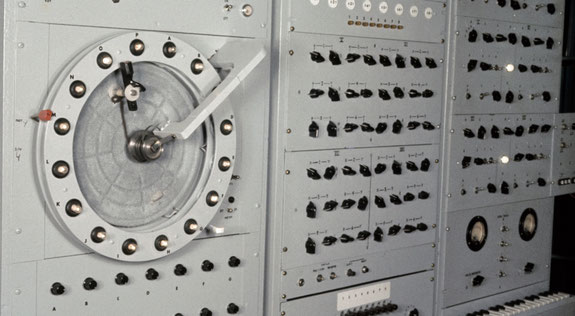
The Circle Machine generated all kinds of strange sounds that went into Scott’s work on commercials and advertising music,
but what really stood out on Circle Machine was its sequencer.
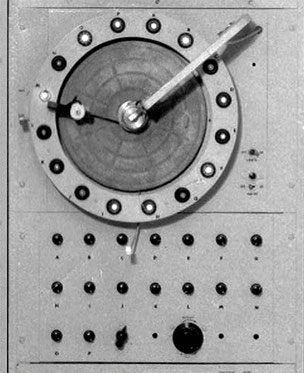
The device had 16 light bulbs arranged in a circle,
and a rotating arm passed a photocell above the bulbs as it spun.
The brightness of each bulb determined the pitch of a step in the sequence,
while the rate of the arm spin would dictate the rhythm.
The operator had control over the spin rate and the brightness of each individual light bulb.
The Circle Machine’s analog wave generation in tandem with its unconventional sequencer,
resulted in otherworldly whirling timbres and tunes.
It is interesting to remember that at that time Robert Moog frequented Raymond Scott's studio.
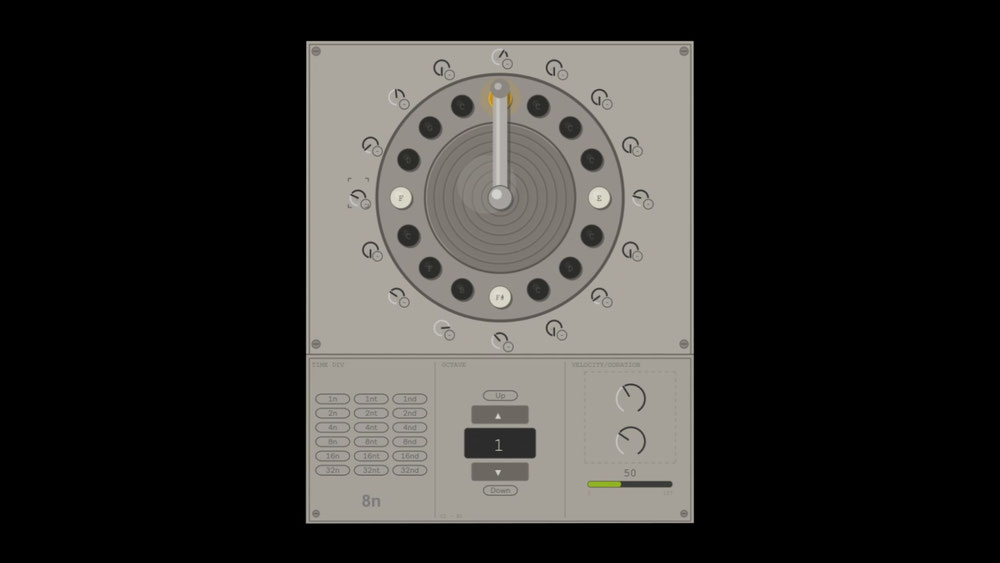
I tried to recreate this amazing instrument on max for live.
I have to say I'm very satisfied, obviously there are some changes that keep the original functions and allow you to have more control over ABLETON.
All parameters are mappable, even turning the sequencer notes on and off
(those dots near the knobs on the circular sequencer).
tips:
In the example you can hear, I used the sequencer to control a drum kit via MIDI.
This allowed me to make interesting variations on the octave changes,
essentially opening up other samples.
I recommend you explore this possibility.
You have several options to save your work:
You can use automations, saving your movements,
or save the sequences you create on the midi editor.
I'm attaching a video that explains how to save sequencer and arpeggiator notes on the Midi editor,
it's the same technique.
Possible bugs:
If the graphics don't open, don't worry. Just open the Max for Live Editor and it will work automatically. The bug should be fixed now.
Happy creating!